



I Tested the 3 Most Popular Family Calendars for 30 Days. Only One Got My Whole House Off My Phone and Out of My Head.
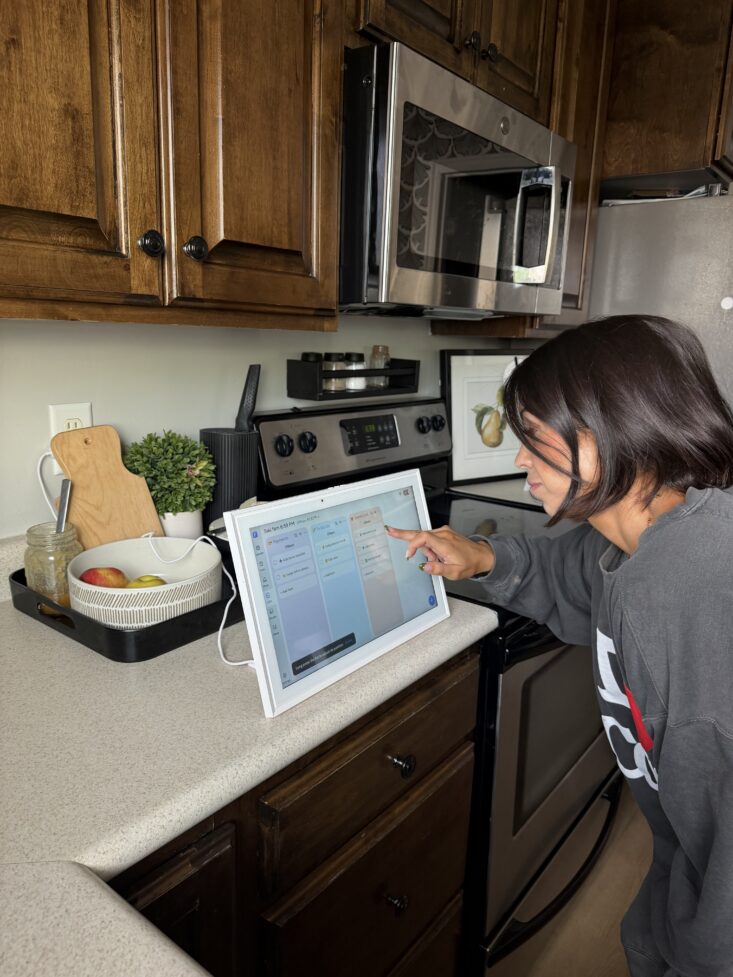
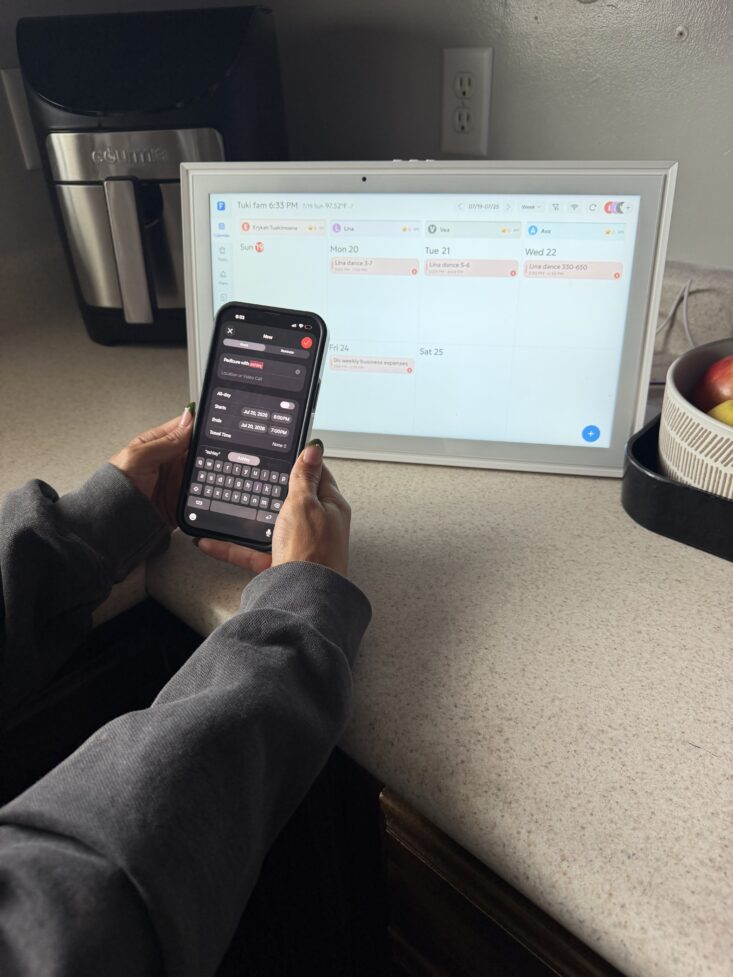
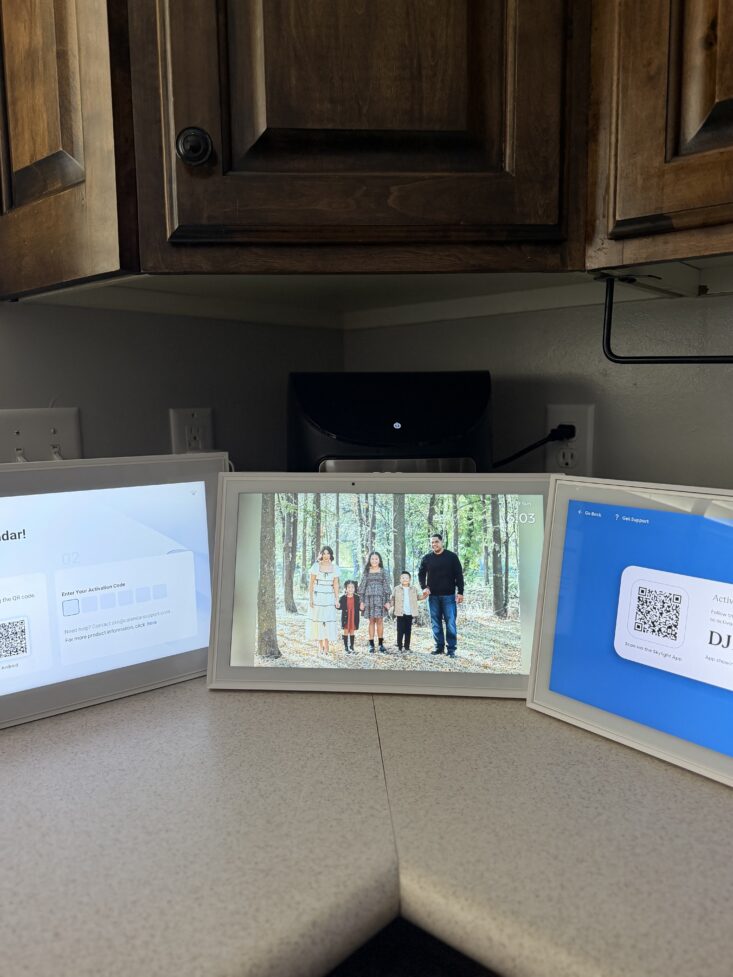
My kitchen, my chaos. 30 days of testing, and only one calendar earned its spot on the wall.
6:48 AM. One kid needs a permission slip I've never seen. Another has a dentist appointment I'm 80 percent sure is today. The answer is buried in a group text from 11 last night. Coffee going cold, two small humans asking me the same question on a loop.
Here's the embarrassing part: I make content for a living. My whole job is being organized. Yet that morning I couldn't tell my own kids what we were doing in the next hour.
That was the day I admitted it: I had become my family's entire scheduling system. Three kids, two parents, one overloaded brain, and that brain was mine. So I went hunting for something that actually works, and tested it like my reputation was on the line. Because with you, it is.
The winner surprised me. It was a brand I'd never heard of, and it beat the "premium" pick I'd warn my sister away from.
Why Most "Smart" Family Calendars Fail
Three traps, none of them visible in the product photo:
- The sync is a lie. Events you type never reach the wall, so you're trusting a screen that's quietly wrong.
- The good stuff is rented. The useful half hides behind a subscription. $8 a month for three years and you've paid for the device twice.
- Nobody actually uses it. If the chore chart needs a tutorial, it's dead by the second Monday.
Those three traps became my three tests. Here's how the calendars finished.
The Results: How the 3 Calendars Ranked, One Clear Winner
Same three tests, same real house, no grading on a curve. Here's how they finished.
#1 Orca Digital Calendar by SRI Home
Price: $299.99 ($309.99)
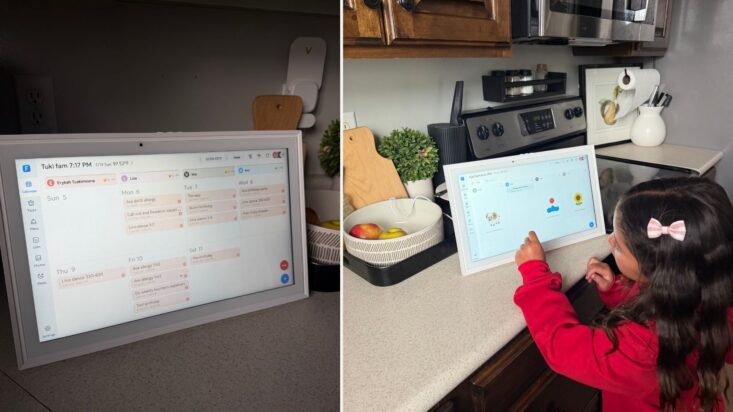
Color-coded per user, readable from across the kitchen. And yes, my daughter checks her own chores now.
The One I Actually Kept
I'll be honest, I doubted it. No celebrity ad, no billboard on I-15. Just families quietly telling other families about it, which is exactly the kind of word-of-mouth that makes a UGC creator like me pay attention. Then it passed every test I threw at it.
Performance results:
- Setup time: Under 10 minutes, app-paired, no manual needed
- Sync: Auto-syncs with Google, Apple iCloud and Outlook
- Readability: Whole month at a glance, color-coded per person, clear across the kitchen
- Family tools: Chores, meals, habits, to-dos, and photo frame, all included
- Forever cost: Zero subscription, backed by a 99-day money-back promise
What sets it apart:I added a dentist appointment from the pickup line and it hit the wall before I got home. With three kids and two adults, the 8 color-coded profiles meant everyone had a lane. Chore and reward charts the kids actually use, meal planning with ingredients per dish, habit charts, voice-entry to-dos. It comes in two sizes (15.6" and 21.5"), and when the schedule isn't up it becomes a Photo Frame or Art Gallery, so it reads as part of the home.
Pros:
✅ Auto-syncs with Google, Apple iCloud and Outlook
✅ Whole month at a glance, color-coded by family member
✅ No subscription, ever, backed by a 99-day money-back promise
✅ Chores, meals, habits, and to-dos all built in
✅ Doubles as a photo frame and art display, included
✅ Two sizes to fit any wall
Cons:
❌ Indoor-only and plugs in (it's a wall display, not a battery gadget)
❌ Popular model sells out during high demand
Bottom line: After 30 days, it's the only calendar that got my whole house on the same page and got me out of the job of repeating the plan all day. It's the one I kept on my own wall.
#2 Skylight Calendar Max
Price: $399+, plus subscription
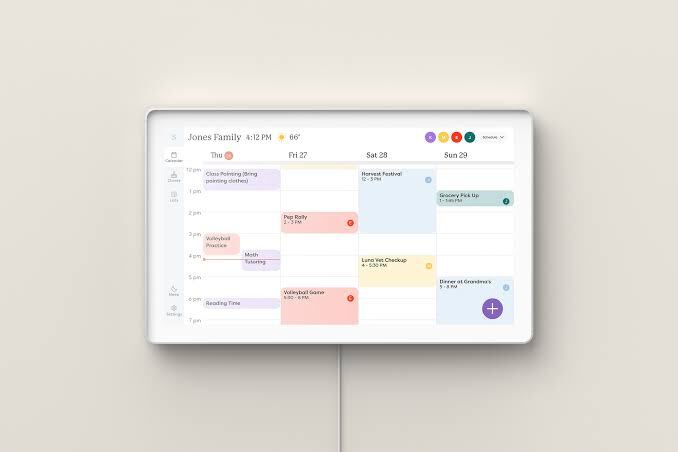
Beautiful Screen, But You Never Stop Paying
The 27" HD touchscreen is stunning, it auto-rotates, and the frames are nice. It syncs with the major services and includes a chore chart and planner. The catch shows up on your card every month after.
Performance results:
- Setup: Moderate, a real learning curve
- Sync: Reliable, but a subscription gates several features
- Readability: Excellent, large 27" HD, auto-rotating
- Family tools: Chore chart and planner, some behind the paid plan
- Forever cost: Higher up front, plus an ongoing Plus plan fee

Pros:
✅ Large, premium 27" HD touchscreen
✅ Auto-rotating screen, interchangeable frames
✅ Syncs with the major calendar services
✅ Mobile app updates from anywhere
Cons:
❌ Advanced features require the paid Plus plan
❌ Higher long-term ownership cost
❌ Larger screen may not fit every wall
❌ Less intuitive out of the box
Bottom line: Gorgeous, but it rents you the parts that matter. Worth it only if a giant screen is your priority and a monthly fee doesn't bother you.
#3 BQQJDD Digital Calendar
Price: Budget-friendly
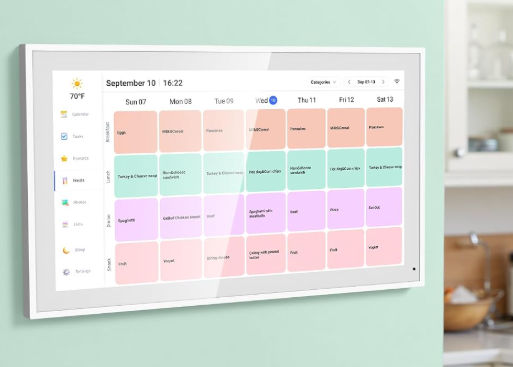
Covers the Basics, But You Feel the Compromise
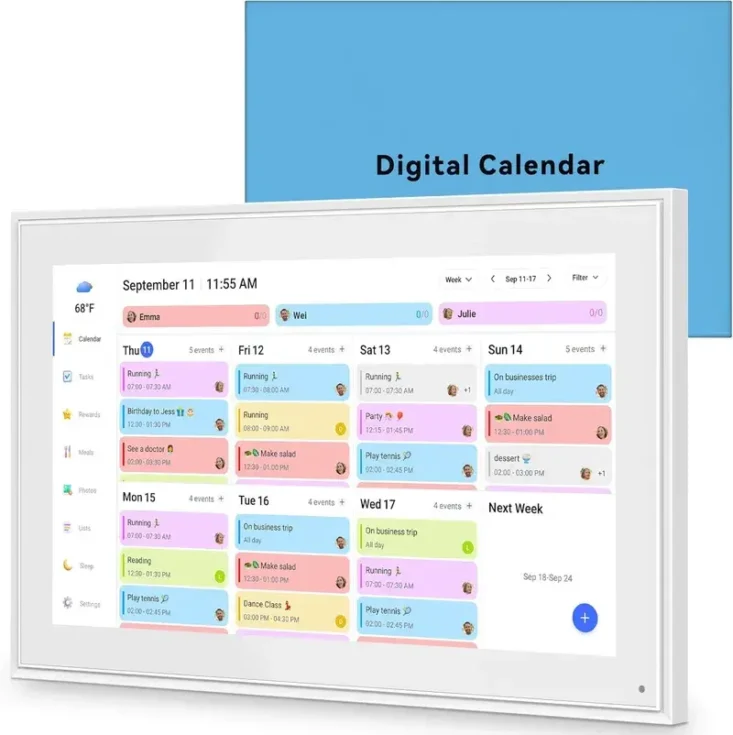
On paper, a smart shortcut for less. It syncs with the major services, includes chore charts and a meal planner, doubles as a photo frame, and ships with a stand and wall-mount. In real life, the daily experience is where it slips.
Performance results:
- Setup: Slower, can need troubleshooting
- Sync: Works with the major services
- Readability: Standard display, less at-a-glance visibility
- Family tools: Chore charts, meal planner, photo frame
- Forever cost: Budget price, no subscription, but slower hardware
Pros:
✅ Syncs with major calendars
✅ Dual-band Wi-Fi (2.4GHz and 5GHz)
✅ Includes stand and wall-mount hardware
✅ Chore charts, meal planner, photo frame
✅ Easy on the budget
Cons:
❌ Interface is slower than higher-end models
❌ Setup can require troubleshooting
❌ Less powerful hardware
❌ Less polished day to day
Bottom line: Not bad, but one you'll notice fighting you every morning. Fine if the lowest sticker price is the whole decision.
Quick Comparison
| Feature | Orca by SRI Home | Skylight Max | BQQJDD |
| Sync | Auto-syncs, held all month | Reliable, subscription gates features | Works, but slower interface |
| Setup | Ready in under 10 min | Moderate, learning curve | Slower, troubleshooting |
| Display | Full month, color-coded, 2 sizes | 27" HD premium, costs more | Standard, less visibility |
| Family tools | Chores, meals, habits, photo frame, all included | Chores, planner, some behind paywall | Chores, meal planner, photo frame |
| Subscription | None, ever | Required for advanced features | None |
| Best for | Families who want one all-in-one command center | Families wanting a big premium screen, willing to pay monthly | Budget households needing the basics |
What 30 Days With the Winner Actually Changed
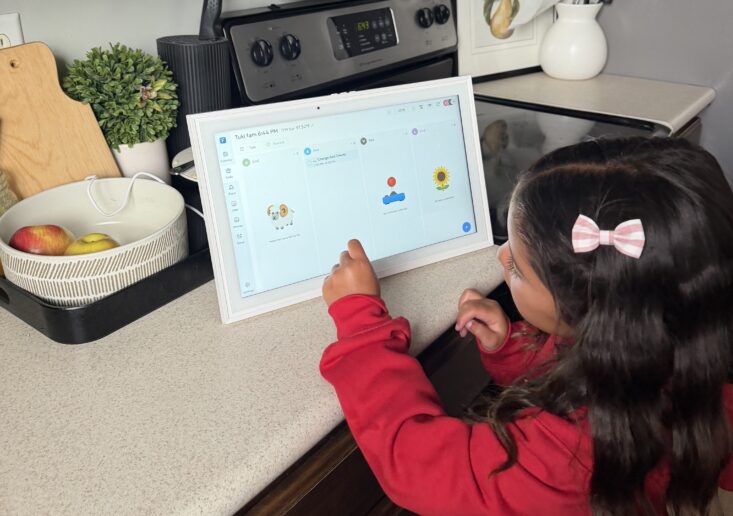
The ranking tells you it won. Here's what winning felt like.
By the end of week one, I stopped answering the question. You know the one, "what are we doing this weekend?" Instead of reciting it from the back of my mind, I pointed at the wall. That single shift is the thing six years of sticky notes never gave me.
By week two, the kids were checking their own colors. By week three, my husband was adding things without me asking, because the sync had earned his trust too. By week four, I realized the calendar had quietly stopped being my job. It had become the house's job, which is exactly where it belonged.
That's the part no spec sheet measures. It didn't just organize my schedule. It handed the mental load somewhere it could finally live outside my head.
What I'd Tell My Group Chat
The real questions my mom friends actually asked me:
"Will my whole family fit on it?" Yes. Up to 20 color-coded profiles, everyone on one screen, everyone in their own color.
"Does it work with the calendar I already use?" If that's Google, Apple, Outlook, Cozi, or Yahoo, yes, both directions, no extra fee.
"Is there a catch with the price?" Not on the Orca. Everything's included, no subscription, plus a 99-day money-back window. The Skylight is the one with the ongoing plan.
"Is it hard to set up?" Ten minutes on the Orca. The budget option took longer and needed some fiddling.
"What does it do when we're not using it?" Turns into a family photo frame or art display. Honestly one of my favorite parts.
My Honest Take and Recommendation
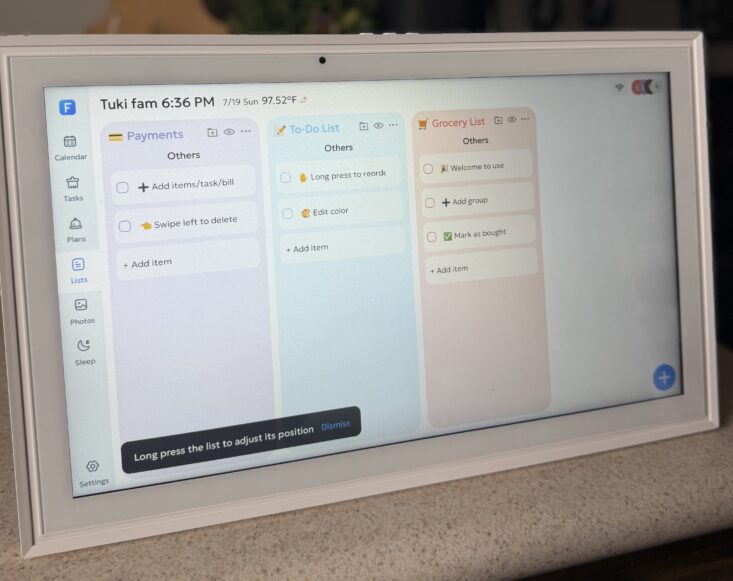
I walked into this fully expecting the flashiest, biggest screen to win. Instead, the one nobody advertises ran away with it, and it was not close.
If you want the calendar that actually works and never charges you again: get the Orca by SRI Home. Go 15.6" for a tighter wall, 21.5" if you want the full command center.
If a giant premium screen matters most and a monthly fee does not scare you: the Skylight Max is beautiful, just budget for the Plus plan on top.
If the lowest sticker price is the whole decision: the BQQJDD covers the basics, with a slower, fussier daily experience.
One last thing, and I mean this. The Orca sells out, and that is not a marketing line. SRI Home is a reliable company that cannot produce at the scale of the big names, and it is on sale right now. From what I have seen, these sales run until the inventory is gone, and then you are waiting on a restock with everyone else.
You already know I only point you toward things I would keep in my own home. This is one of them. If your house has been running on your memory alone, grab it while it is still here.
Final Verdict
After 30 days in a real house, the Orca Digital Calendar by SRI Home is the one I'd hand a tired parent without hesitation. It does the one thing every other calendar promised and failed to do: it got my family's whole schedule out of my head and onto a wall everyone trusts, with no subscription, no learning curve, and no monthly bill waiting to surprise me.
But if you want the calendar that actually works, includes everything, and finally takes the mental load off your shoulders, the Orca Calendar is the clear winner.


