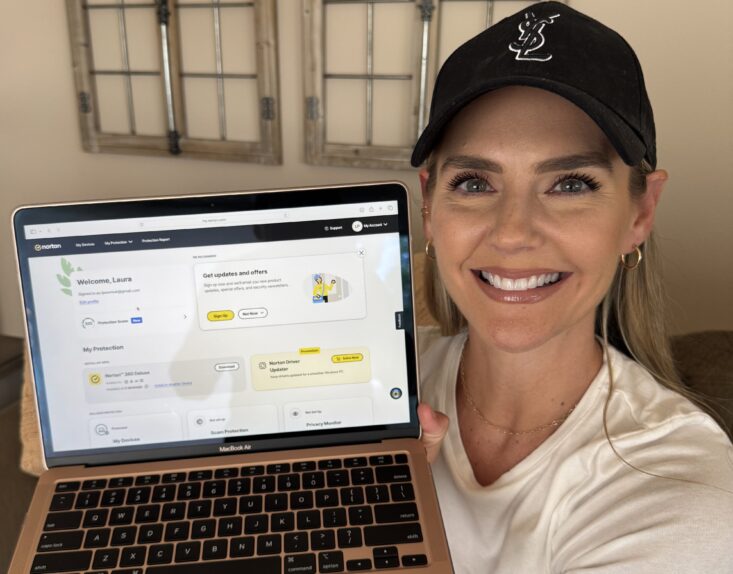




Parenting already comes with enough tabs open, both literally and mentally. Between work emails, school apps, group chats, kids’ tablets, online homework, and the occasional “Mom, can I download this?” moment, keeping the whole family safe online can feel like one more full-time job.
That is exactly why Norton 360 makes so much sense for busy parents. It helps protect the devices your family uses every day, works quietly in the background, and brings key safety tools into one place.
1. Norton 360 Helps Cover the Devices Your Whole Household Uses Daily
In my house, it is never just one device. There is my phone, my husband’s work laptop, and the kids’ tablets. And each one is being used for different things at the same time.
With whole-household device coverage, one subscription covers up to 5 devices on Deluxe. That means families can help protect the devices they actually rely on without juggling a separate solution for each person.
For busy parents, this kind of simplicity matters. You are not trying to remember which app is on which tablet or whether one laptop was left out. Norton 360 helps bring family device protection under one roof.
2. Automatic Threat Blocking Works Quietly in the Background
Most parents do not have time to manually inspect every link, download, text, or email that comes through the family’s devices. Norton 360 helps protect against malware, phishing, and scam texts in the background across devices.
That background protection is a huge part of the appeal. It is not another task on your list. It is support that keeps running while you are packing lunches, answering emails, folding laundry, or trying to remember where someone left their cleats.

3. Safe SMS and Genie AI Help Take the Guesswork Out of Sketchy Messages
Scam texts can look surprisingly real, especially when they are designed to make you react quickly. Norton 360 includes Safe SMS, which flags suspicious texts before you even open them.
There is also the Genie AI assistant, which gives you an instant read on sketchy texts and links. No searching, no guessing, and no spiraling over whether that delivery message or “urgent” account alert is legit.
For parents managing a household, that kind of clarity is worth a lot. It helps you make quicker, more confident decisions before clicking.
4. Built-In Parental Controls and Dark Web Monitoring Add Extra Peace of Mind

Norton 360 Deluxe also includes Parental Controls built in, with screen time limits and content filtering integrated into the same app. I love that it is not a separate tool parents have to manage on top of everything else.
Dark Web Monitoring also runs passively and alerts you if your family’s personal info shows up somewhere it should not. It is another layer of awareness that works without needing constant maintenance.
That set-and-forget simplicity is really the point. You set it up once, and it runs itself.
The Bottom Line: Norton 360 Makes Digital Safety Feel Manageable
Busy parents do not need more apps, more alerts, or more complicated tech chores. They need something practical that helps protect the family’s devices, flags real issues, and keeps working in the background.
Norton 360 Deluxe brings together whole-household device coverage, automatic threat blocking, low-noise alerting, Safe SMS, Genie AI, Dark Web Monitoring, and built-in Parental Controls in one place.
For families who want more peace of mind without adding more to the daily to-do list, Norton 360 is absolutely worth trying. Purchase it ASAP and make digital safety one less thing you have to constantly think about.